Features

What cloudstrg does

The app has exactly as many features as it takes for the records to survive past the third week. Nothing more — every extra screen is one more thing a warehouse worker has to get around.

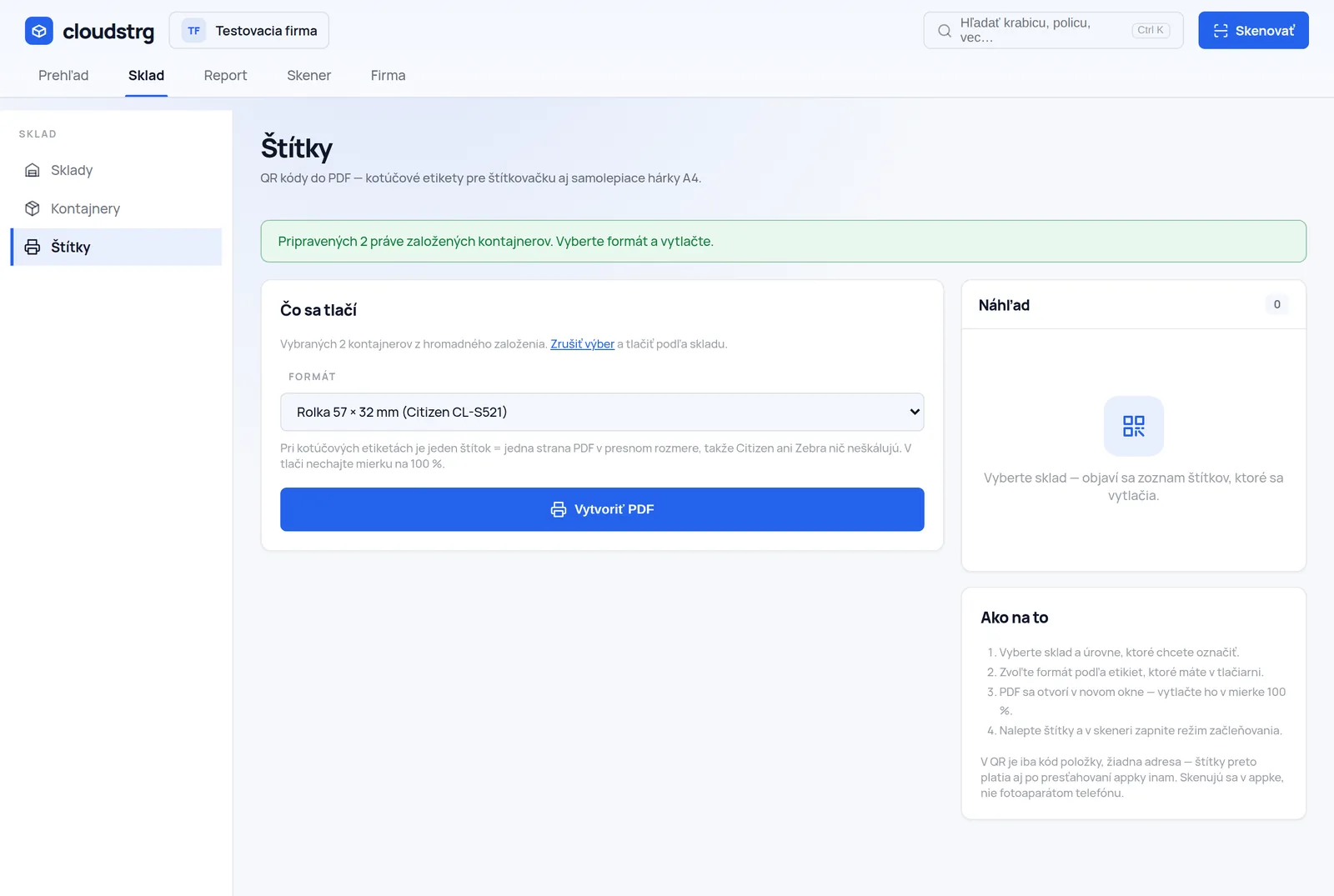
The label printing screen in the cloudstrg app

Labels for the whole warehouse at once

Pick the warehouse, the label size and what to print — racks, shelves, boxes or everything. Out comes one PDF you send to the label printer. Rolls of 50 × 30, 57 × 32 and 100 × 50 mm, or an A4 sheet of 21 labels (Avery L7160 size).

The code on a label is never truncated. When it does not fit, the app shrinks the type and, in the extreme, wraps the label onto two lines — better a smaller letter than a code nobody can retype by hand.
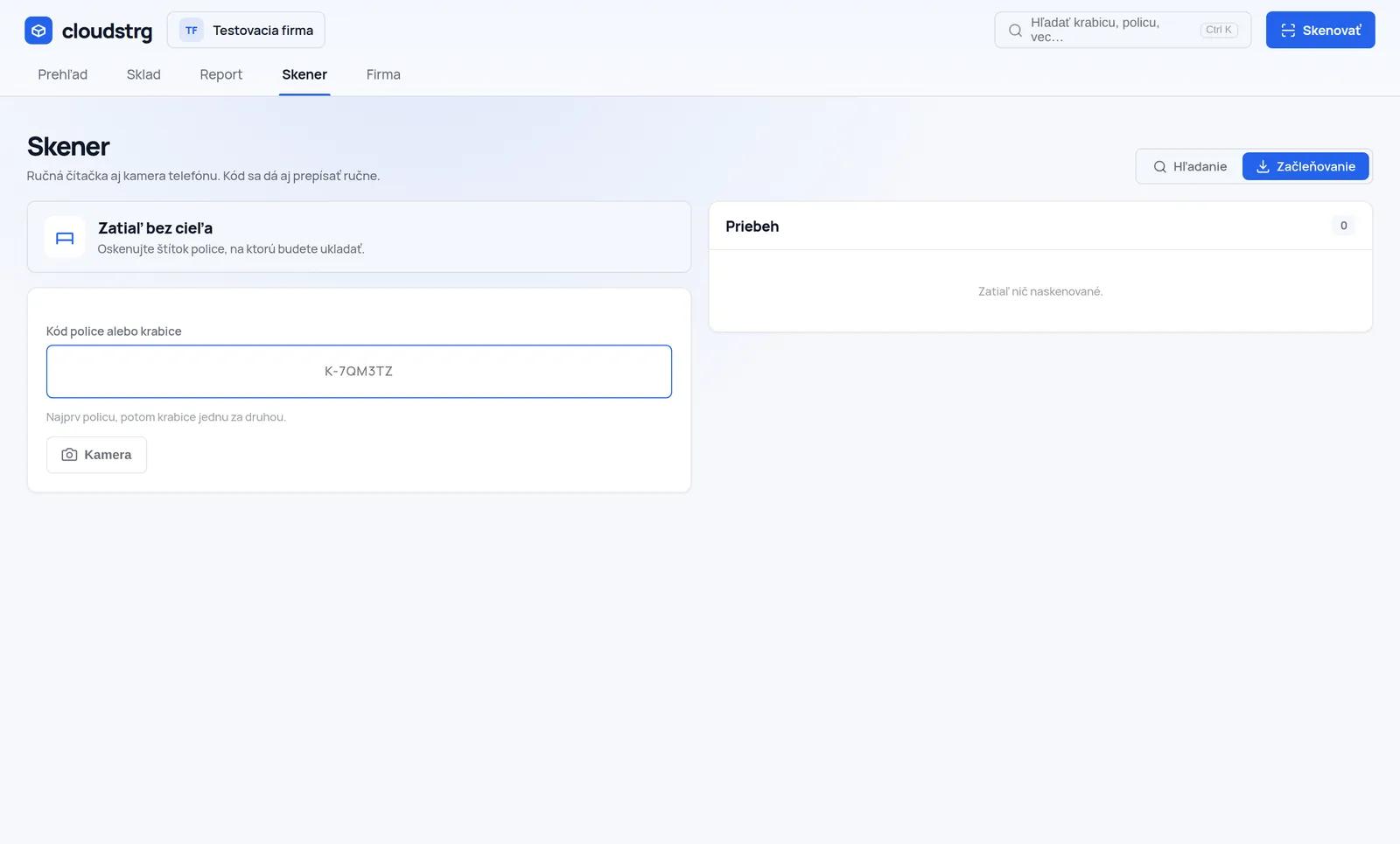
The scanner screen in filing mode

Filing mode

Switch it on, scan a shelf label — and from then on every box you scan is filed under it. The target holds until you change it, so you can scan down the row one-handed.

If you scan a rack instead of a shelf by mistake, the app does not just say “cannot do that” — it explains that a box belongs on a shelf and offers that rack’s shelves.

A code that outlives the warehouse

The form PREFIX-XXXXXX (S, R, P, K) of six characters with no look-alike shapes — no zeros and no letter O, no ones, I or L, no U and V. Codes do get retyped by hand off a scuffed label, and then every such letter is an hour of hunting a typo.

Codes are random, not sequential. A sequential one would give away how many boxes the company has.

Floor plan

Enter the hall dimensions in centimetres and lay the racks out by dragging — with 90° rotation and adjustable length. Clicking a rack opens its contents, so the plan is not a picture but a control panel.

Centimetres are stored, not pixels. The plan can be zoomed and opened on another monitor without falling apart.

REST API

The warehouse can be connected to an e-shop, an ERP or Make.com. You generate the key in Settings; every call is in the history with its IP address, status and response.

It is in every plan, Free included — only the call ceiling differs. Documentation.

Search across warehouses

Search covers names, descriptions, tags and the list of things inside the boxes. The result gives the whole path — warehouse, rack, shelf, box — so you can walk straight to it.

Quick search opens with the / key anywhere in the app, without clicking through to another screen.

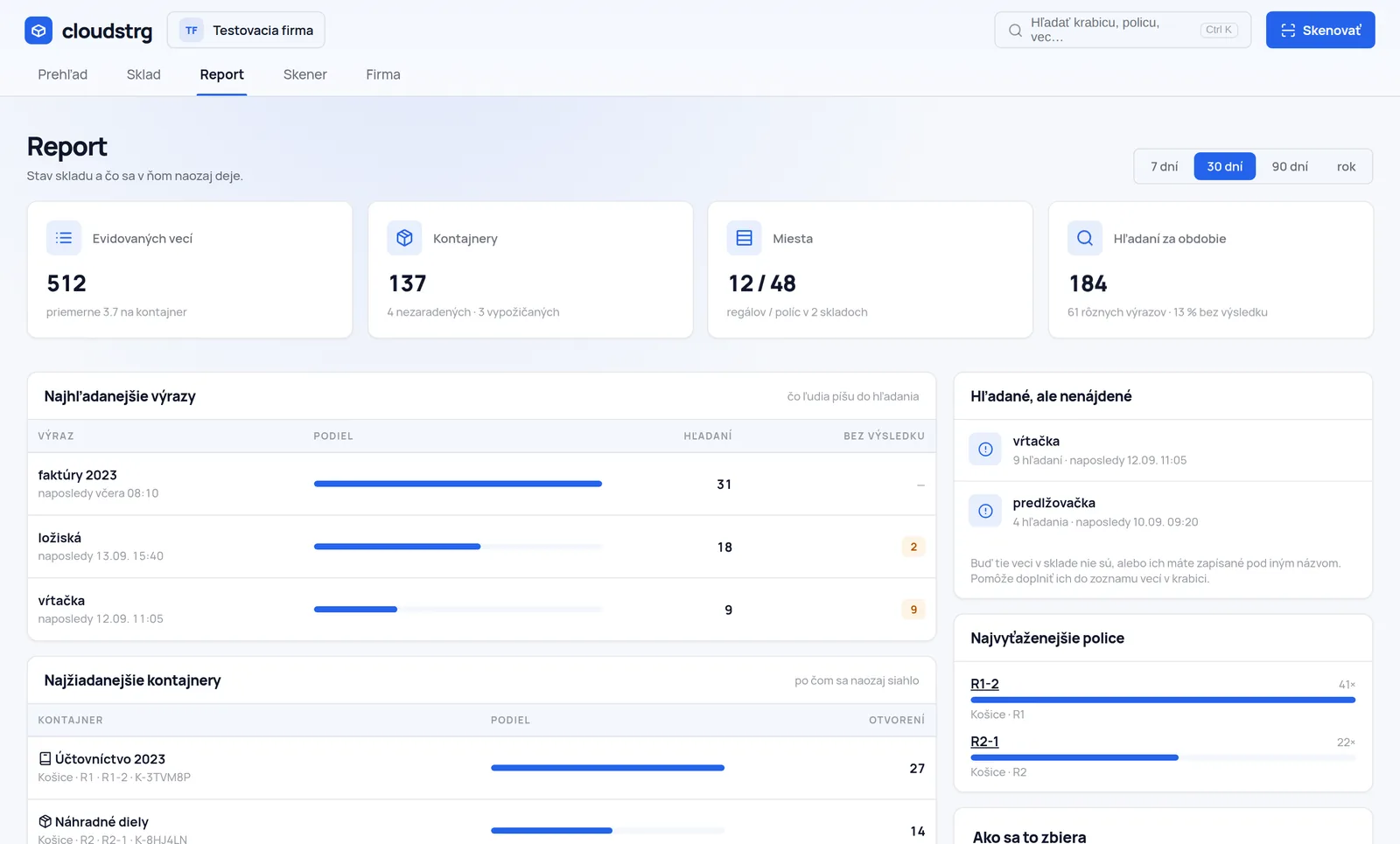
The report in the cloudstrg app

A report that shows the gaps

Two things are collected and deliberately kept apart. Searches — what people type into search, including attempts that found nothing. When somebody searches for “drill” three times a week and there is nothing, either it is not recorded or it is recorded under another name.

Openings — what people actually reach for. That is what lets you move the most wanted goods closer to the loading bay. The first shows gaps in the records, the second can be used to lay out the warehouse.

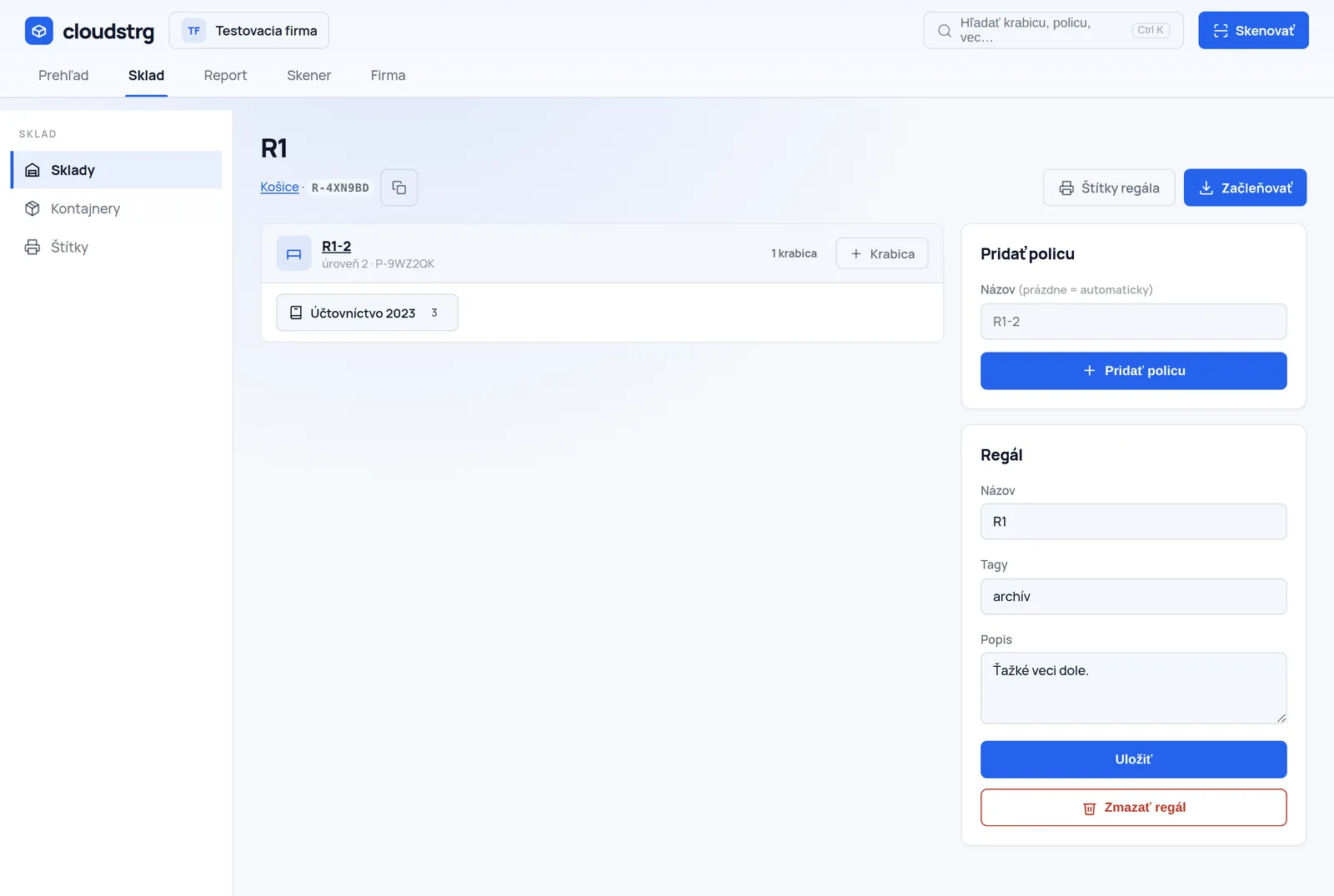
Rack detail with shelves and boxes

Descriptions, tags and contents

Warehouse, rack, shelf and box all have a description and tags. A box also has a list of things with quantity and a note — and that is exactly what search looks through, so a thing gets found even when it is not in the name.

A box can be stored, on loan or unfiled. The app keeps the unfiled ones together so they do not get lost among those that do have a place.

It is not just a feature list

Decisions you do not see but do feel

The scanner role

A narrow account that can scan, search and file — and nothing else. It can stay permanently signed in on a shared reader in the hall.

No third-party scripts

The typeface, the icons, the QR generator and the PDF writer are ours and we host them ourselves. The app sends nothing anywhere and works behind a corporate proxy that blocks CDNs.

Light and dark mode

Light is the default; dark is switched on by whoever prefers it. The colours are computed so that text keeps a 4.5 : 1 contrast in both modes.

Expiry does not lock reading

When the subscription ends the warehouse stays visible and labels can be printed. Only adding new positions is locked.

Start with a single rack

One hour gets your first rack numbered. One afternoon, the whole warehouse.

The Free plan costs nothing and has no time limit — 30 positions are enough for one rack and for finding out whether this suits you. You pick a paid plan only once you run out of room.