Mobile app

The scanner is in your pocket

cloudstrg for Android is the same warehouse, just fitted to the fact that you are holding it in one hand and a box in the other. Camera scanning, unlocking by fingerprint or face, and a bottom bar you can work with a thumb.

  • Camera scanning. Just hold the label in front of the lens — the code reads itself, with no photo to take and nothing to confirm.
  • Unlock by fingerprint or face. The lock only kicks in after the first sign-in; asking for a fingerprint in front of the login form would just be in the way.
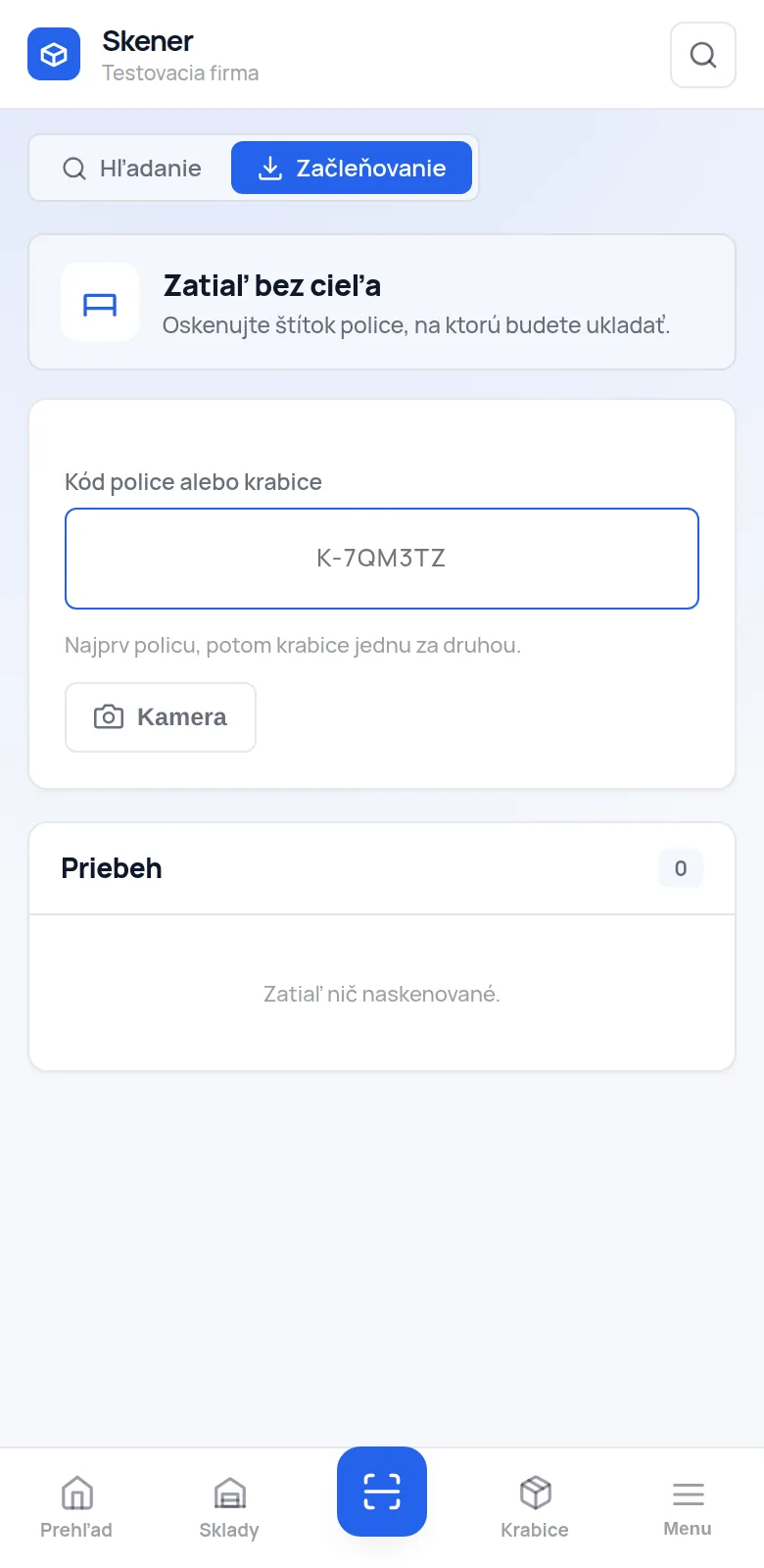
  • Filing mode. The target shelf holds until you change it — you scan boxes one after another.
  • Always the same version. The app and the web are the same application, so they cannot drift apart, not even after an update.

We are preparing the Android version for Google Play. Until then the app works exactly the same in the phone browser — camera scanning included.

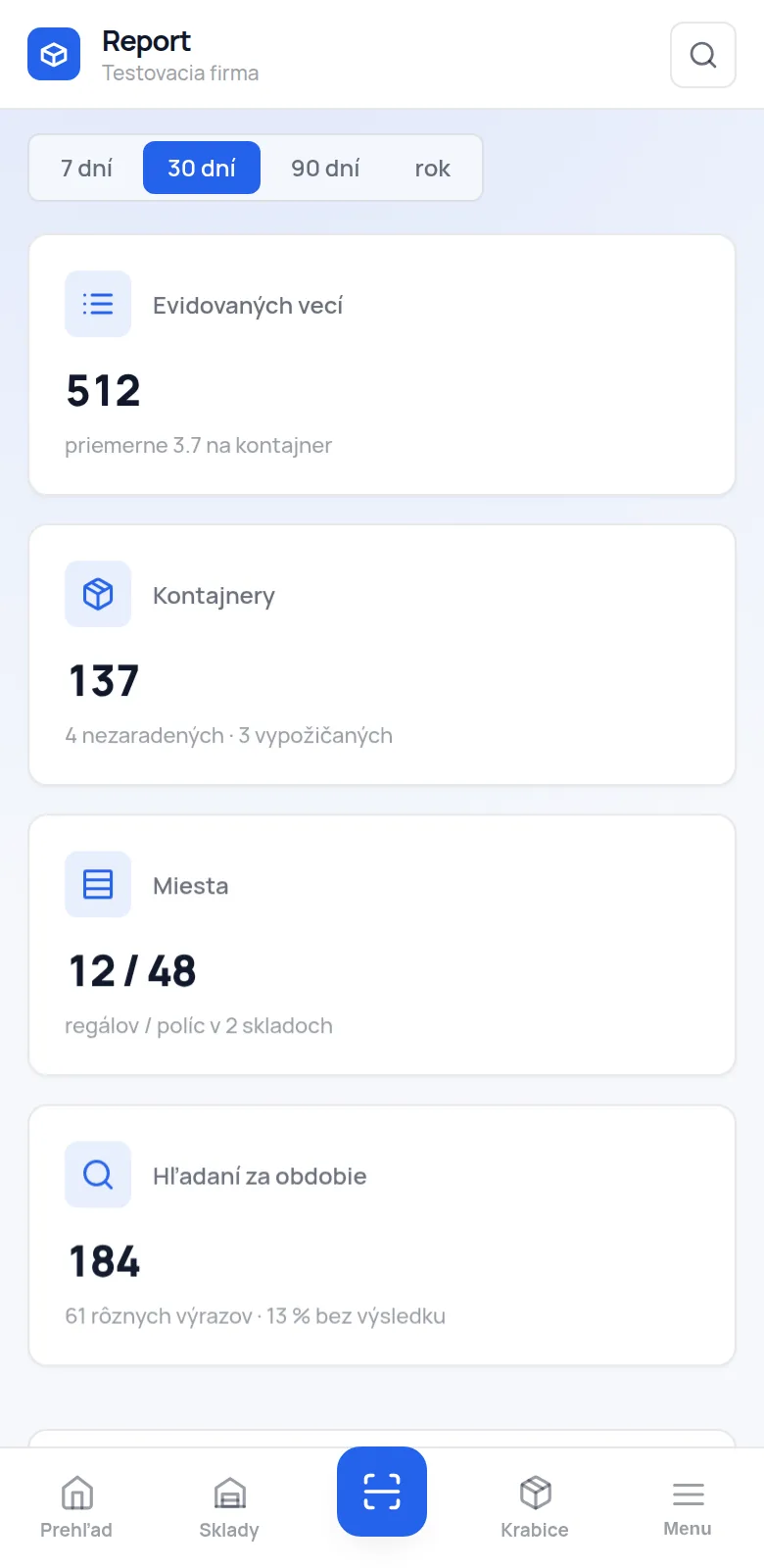
The report in the mobile app
The scanner in filing mode

Where you can use it

Three ways to open the warehouse

In the browser

Sign up and go. Nothing to install. On a computer you get the top menu and the left submenu, on a phone a bottom bar — the same app, put together differently.

Camera scanning works here too; the browser just asks for camera permission once.

On a hardware reader

Industrial readers “type” the code like a keyboard and confirm with Enter. The scanner screen expects that — the field is always focused, so you can scan without touching the screen.

On a reader the scanner role fits: it can stay permanently signed in and nobody can overwrite anything important with it.

In the Android app

A native shell around the same app: a splash screen with the logo, a fingerprint or face lock, the camera permission and decent handling of a dropped connection.

We are getting it ready for Google Play. When it is out, you will hear about it in the app itself.

Questions about the app

Before you install it

Does scanning work without internet?

The code reads off the camera offline too, but filing it has to reach the server — so without a connection the app says it is offline and waits. The warehouse is shared by the whole company; saving changes “on the side” and resolving conflicts when the connection comes back would do more harm than good.

Why does the phone camera not open the label by itself?

Because the label carries only the code, not an address. That way the stuck-on labels stay valid even after the warehouse moves to another server, and the short content fits into the smallest QR version — the modules are bigger and the code reads even off a scuffed label. So you scan in the app.

How much space does the app take?

A few megabytes — it is a shell around the web app, not a copy of the whole warehouse on your phone.

Can the app see other data on the phone?

It asks for a single permission, the camera — for scanning labels. Your fingerprint and face never reach us; the app just asks the system whether it is you and gets a yes/no answer.
Start with a single rack

One hour gets your first rack numbered. One afternoon, the whole warehouse.

The Free plan costs nothing and has no time limit — 30 positions are enough for one rack and for finding out whether this suits you. You pick a paid plan only once you run out of room.